What's a Good Starlink Ping?
A good Starlink ping is typically 25 to 50 ms, and most healthy connections sit comfortably in that range. Starlink's own stated goal is a 20 ms median, and it reported a US median around 33 ms at peak hours in 2024, so a figure in the 30s is normal and healthy. The average matters less than the consistency, though: a stable 40 ms is better for video calls and gaming than a 25 ms average that periodically spikes to 200 ms. This guide explains what the numbers mean and how to tell a real latency problem from normal behaviour.
Latency on Starlink is more variable than on fibre, but not for the reason most people assume. The trip up to the satellite and back is small and steady, under about 10 ms round trip. The variability comes from how Starlink reconfigures the satellite link on a fixed schedule and shares each satellite beam among many users. A little variation is expected. Sustained high latency or frequent large spikes are what's worth investigating.
What the numbers actually measure
"Ping" is the round trip time for a packet to reach somewhere and come back. On Starlink that journey has several legs: your device to the dish, the dish up to the satellite, the satellite down to a ground station, and then across the regular internet to wherever you're connecting.
That means the figure you see depends heavily on what you're pinging. A ping to the first hop on the Starlink network beyond your own router shows your satellite link's health. A ping to a distant server includes all the normal internet routing on top, which has nothing to do with Starlink. When comparing, make sure you're measuring the same target each time, or you're comparing different things.
What good looks like
25 to 50 ms is typical and healthy, with many connections sitting in the low-to-mid 30s.
Low jitter matters as much as a low average. Jitter is how much the latency bounces around. Steady is good. A figure that swings wildly, even if the average looks fine, will feel worse on real-time applications than a slightly higher but stable one.
Occasional brief spikes are normal. Starlink reconfigures the satellite link on a fixed cycle, roughly every 15 seconds, and that produces a small recurring blip. It's often called a satellite handover, though measurements suggest it's a scheduled reconfiguration that can happen even without switching satellites. Either way, a spike that immediately settles is nothing to worry about.
When latency is actually a problem
Sustained high latency (well above 50 ms for long stretches, not just momentary spikes) suggests congestion, obstruction, or a network-side issue, rather than the normal 15-second blip.
Frequent large spikes that disrupt calls or gaming, especially if they line up with brief drops, often point to obstruction. The dish loses its satellite, scrambles to reacquire, and latency jumps while it does.
Time-of-day patterns. If latency reliably worsens at busy hours, that's congestion on your cell, which is a capacity issue rather than a fault with your setup.
The way to tell these apart is to watch latency over time against your other metrics, rather than reading a single number once.
How monitoring helps
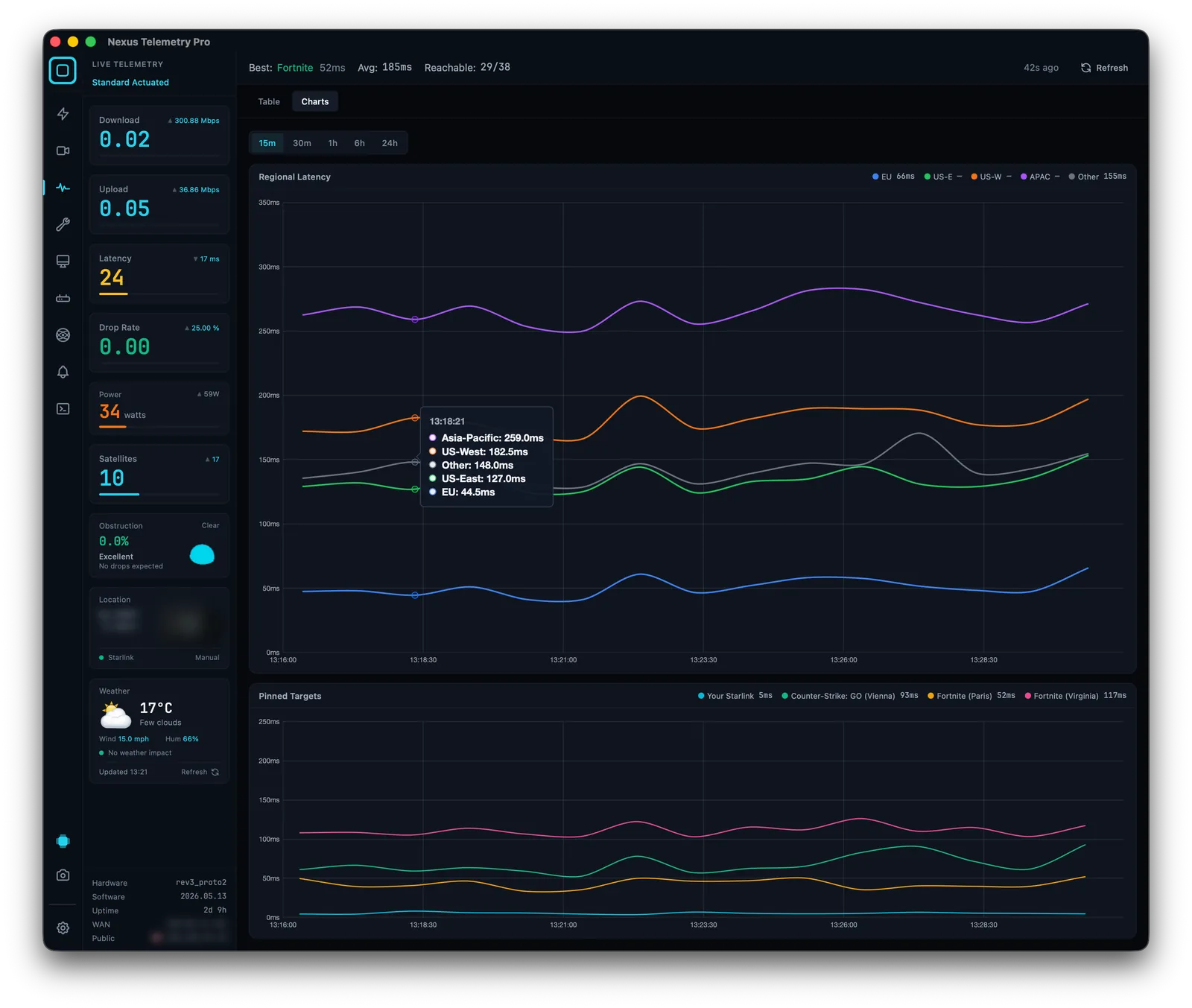
A one-off speed test gives you a single number with no context. What you actually need is the pattern: is latency stable or jittery, are spikes occasional or constant, do they line up with drops or with certain times of day? Desktop monitoring charts latency continuously alongside drop rate and obstruction, so you can see the relationship and diagnose the cause rather than guessing. Nexus Telemetry does this with multi-target ping analytics.
How to monitor your Starlink →
The short version
A good Starlink ping is about 25 to 50 ms, often in the low 30s, but stability matters more than the average. Brief spikes on a roughly 15-second cycle are normal. Sustained high latency, constant large spikes, or spikes that line up with drops are worth investigating, usually pointing to obstruction or congestion. Watch latency over time against your other metrics rather than trusting a single speed test.
Track your real latency over time with a free trial of Nexus Telemetry.