Why Does My Starlink Keep Dropping?
Brief, occasional Starlink dropouts are usually normal. Frequent or persistent drops point to one of a handful of things: obstruction, a hardware or power problem, weather, overheating, or network congestion. This guide helps you tell which, and what to do about each.
The first job is working out whether you have a real problem at all, because a drop every now and then that recovers instantly is just how Starlink works.
Is it actually a problem, or just a normal blip?
Starlink reassigns your dish to a new satellite or beam on a fixed schedule, roughly every 15 seconds, and reconfiguring at those boundaries can cause a momentary blip. This is popularly called a satellite handover, though measurements suggest the dips happen even without switching satellites, so it's really scheduled network reconfiguration. Either way, a brief drop that recovers in a second or two, now and then, is normal and not worth chasing.
What's not normal is drops that are frequent, that last more than a moment, that cluster at particular times, or that are getting worse over time. If that's what you're seeing, work through the causes below, starting with the most common.
Cause 1: Obstruction (most common)
Something blocking the dish's view of the sky is the leading cause of repeated drops. As satellites pass behind a tree, roofline, or pole, the connection drops until the dish picks up another.
The tell is drops that correlate with obstruction in your sky map, and a drop rate that's elevated rather than near zero. Obstruction also tends to get worse slowly as vegetation grows, so if your drops have crept up over weeks, suspect this first.
How to diagnose and fix obstruction →
Cause 2: Hardware, cabling, or power
If the sky is clear and drops persist, look at the physical setup.
Check the cable between dish and router for damage, kinks, or a loose connection, and reseat both ends. If you're using an aftermarket or extended cable, try the original. On battery or solar setups, an undersized supply or voltage sag under load (a weak power bank, an undersized inverter, or thin cabling) can drop the dish and trigger a reboot, which looks like random drops. The dish also pulls a heavy surge at startup, so the supply has to cope with that, not just the average draw. Knowing your dish's real power draw helps here.
How much power does Starlink use →
A reboot is also worth trying as an early step, since it clears transient states. On actuated dishes it can also correct a dish that has quietly repositioned itself, though that's a rarer situation.
When a dish repositions itself →
Cause 3: Weather
Heavy rain, snow, and hail can cause brief dropouts, because the radio signals are attenuated by significant weather. Starlink's own documentation describes momentary service drops during moderate to heavy precipitation that clear once the weather passes. So if your drops line up with storms and recover afterwards, weather is the likely cause, and there's nothing to fix beyond accepting the occasional bad-weather blip. Persistent drops in clear conditions point elsewhere.
Cause 4: Overheating
In hot conditions the dish or its power supply can shut down to protect itself, then restart once it cools, which shows up as drops in the heat of the day. The dish reports this directly as a thermal-shutdown outage, so it's one of the easier causes to confirm if you can see the outage reason. Improving airflow around the dish and especially the power supply (don't box it in or sit it in direct sun) is the fix.
Cause 5: Congestion
If slowdowns and the occasional drop cluster reliably at busy times (evenings, especially), and your sky is clear and hardware sound, you may be on a congested cell. Congestion mostly shows up as slower speeds, higher latency, and packet loss during peak hours rather than full disconnections, but a heavily loaded cell can still cause the odd drop. This is a capacity issue in your area rather than a fault you can fix at the dish. Monitoring the time-of-day pattern is how you confirm it.
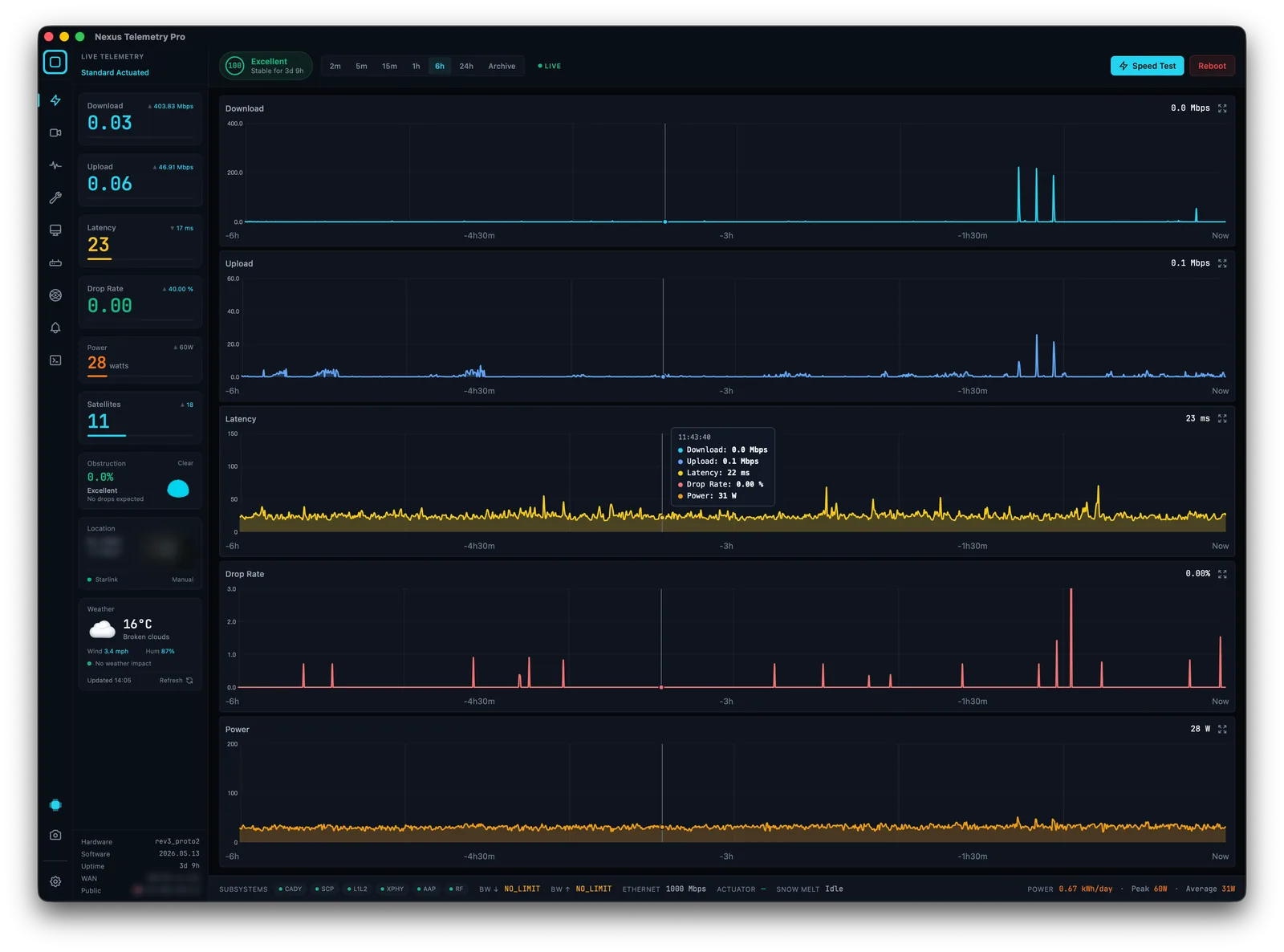
How monitoring helps
The reason drops are frustrating to diagnose is that the official app only shows a limited recent window, its outage log covers roughly the last day, so you can't see longer patterns or compare a drop against your other metrics over time. Continuous monitoring records every drop with a timestamp, alongside obstruction and latency, so the cause usually becomes obvious from the pattern: drops that track obstruction, drops at busy hours, drops in hot weather, or drops tied to a power event. Nexus Telemetry logs all of this.
How to monitor your Starlink →
The short version
Occasional brief drops are normal. For frequent or worsening drops, check obstruction first (by far the most common cause), then hardware, cabling, and power, then weather and overheating, and finally congestion if slowdowns cluster at busy times. A reboot is a quick early step. The fastest way to find the cause is to watch your drops over time against obstruction and latency, rather than guessing after the fact.
See exactly when and why your connection drops with a free trial of Nexus Telemetry.