How Much Power Does Starlink Use?
Starlink's published averages run from 20 to 40W for the Mini to 110 to 150W for the Performance dish, measured at the wall. Draw varies with the dish model and what the connection is doing, but the figure that matters for planning is your real average, not the spec-sheet maximum. For off-grid, marine, and battery or solar setups, measuring your own dish's actual consumption over time is the only reliable way to size your power system. This guide explains what affects draw and how to measure it.
The headline point: a dish's peak rating and its day-to-day average can be very different numbers, and sizing a battery off the peak will cost you more than you need, while sizing off an optimistic guess will leave you short.
Rough figures by model
Starlink publishes average-power bands per model. These are AC-input averages measured at the wall, so they already include the router, power supply, and cables:
| Model | Average | Idle |
|---|---|---|
| Mini | 20 to 40W | ~15W |
| Standard Actuated (Gen 2) | 50 to 75W | ~20W |
| Standard 4 / 4X / Enterprise | 75 to 100W | ~20W |
| Performance (Gen 1 and Gen 2) | 110 to 150W | ~45W |
The older Gen 1 round dish has no official spec and is the most power-hungry, with community estimates around 65 to 150W. Two things to bear in mind: recent firmware has reduced draw on the Standard and Mini by a noticeable margin, so real-world figures often run below the published bands and older guides tend to overstate consumption; and running a dish on DC directly (common with the Mini) avoids the conversion loss baked into those wall-measured AC figures, so your real DC draw can be lower. Treat the table as a starting point, then measure your own (see below).
What affects power draw
The dish model. Different Starlink hardware draws different amounts, as the table above shows. The Mini is designed for low consumption and portability; the current Standard (Standard 4) actually draws a little more than the older Gen 2 Standard Actuated; the Performance and older round dishes draw the most. Don't assume a figure from one model applies to yours.
Activity. Draw does rise when the dish is working harder, but the effect of throughput alone is modest: streaming versus light browsing only moves the dish electronics by roughly 10 to 20W. An idle connection sits a little lower than one under load, but activity is not the big swing factor.
Heating. This is the largest variable. In cold or snowy conditions, dishes with a heating element draw substantially more to keep the faceplate clear, anywhere from roughly 10 to 20W extra on a Standard dish up to 50 to 100W on a Performance or round dish, pushing totals toward 150 to 180W. Cold starts and reacquiring the signal also spike draw briefly. If you're planning for winter or a cold climate, this is the factor that dominates your budget. Note the Mini has no heater, so this headroom doesn't apply to it (though cold still nudges its baseline up a little). The heating element has Off, Automatic, and Pre-heat settings in the app.
Actuator movement. On motorised dishes, physically re-aiming draws extra power, though this is occasional and brief rather than continuous. The current Standard and the Mini have no aiming motors at all.
Why the real average matters
If you're on mains power, you can mostly ignore this. Where it becomes important is any setup running from a finite power budget: an RV or van, a boat, an off-grid cabin, a solar-and-battery system.
For those, you need to know watt-hours per day, not just watts. That comes from the average draw across a real day of your actual usage, including idle periods, busy periods, and any heating. Sizing your battery and solar from a measured daily average gives you a system that actually lasts. Sizing from the spec-sheet maximum wastes money on capacity you'll never use; sizing from a hopeful guess risks running flat.
How to measure your own
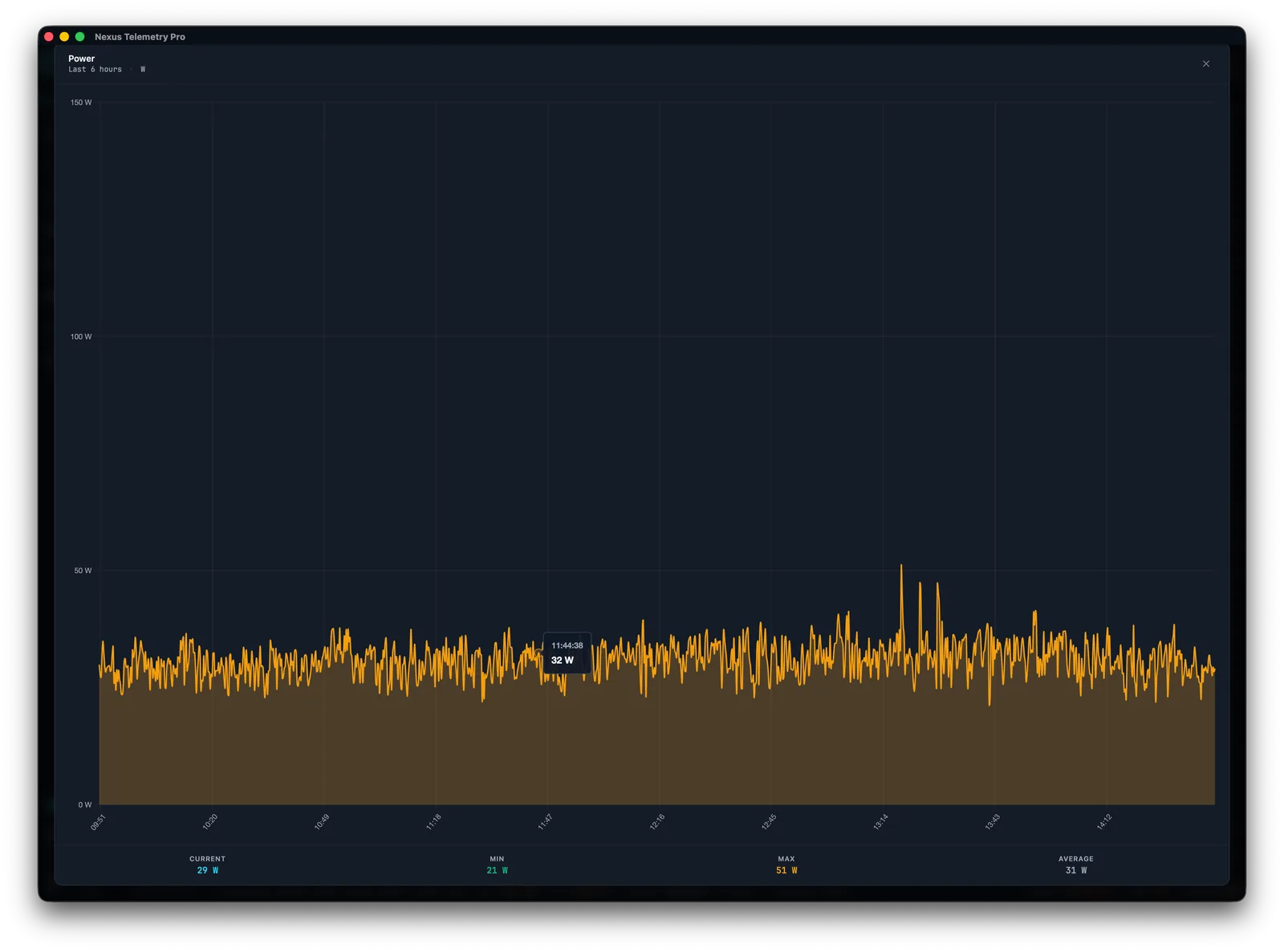
On supported hardware, the dish exposes its power draw over its local telemetry, so you can read the real figure rather than relying on a generic spec. Older or unsupported dishes report nothing here, and the Starlink app doesn't show power directly, so reading it generally needs third-party software. What you want is to record it continuously over a representative period, ideally a few days that include your normal usage and, if relevant, cold weather. From that you get a true daily average and a sense of the peaks. For the most accurate sizing, an inline wattmeter or DC shunt on your actual supply is the gold standard.
Desktop monitoring makes this straightforward: it logs the power figure over time and shows you the average and peak rather than just an instantaneous reading. Nexus Telemetry charts power draw continuously, which is exactly what you need for sizing a battery or solar system.
How to monitor your Starlink →
The short version
Starlink power draw depends mostly on the dish model and on heating, with activity a smaller factor, and your real daily average is what matters for planning, not the spec-sheet maximum. Use the official per-model bands as a starting point, then, for off-grid, marine, and battery setups, measure your own dish's consumption over a few representative days, including cold weather if relevant, and size your system from that measured average. On supported hardware the dish reports its draw, so monitoring software can record it for you.
Measure your dish's real power draw over time with a free trial of Nexus Telemetry.