Is There a Starlink App for Mac?
Nexus Telemetry is an independent desktop app for Starlink on Apple Silicon Macs. It is notarised by Apple, and it reads your dish's live telemetry over your local network. Starlink makes no desktop app for macOS: its iPad app installs on Apple Silicon Macs, where the App Store lists it as not verified for macOS.
The phone app isn't your only window into the dish. This page explains what's possible on a Mac, the options you've got (from free command-line tools to the native app), and what you actually get from each.
Why isn't there an official Mac app?
Starlink's app is designed for setup and quick checks: point it at the sky during install, run a speed test, see whether you're online. That's a phone job, so SpaceX built it for phones. They've shown no sign of building desktop software, and the basic status page the dish itself used to serve in a browser has largely been retired.
But the dish itself doesn't care what's asking. It exposes a detailed telemetry stream on your local network, the same data the phone app draws from, with more detail than the app surfaces in its normal view. Any application on your network can read it, including one running on your Mac.
What you can monitor from a Mac
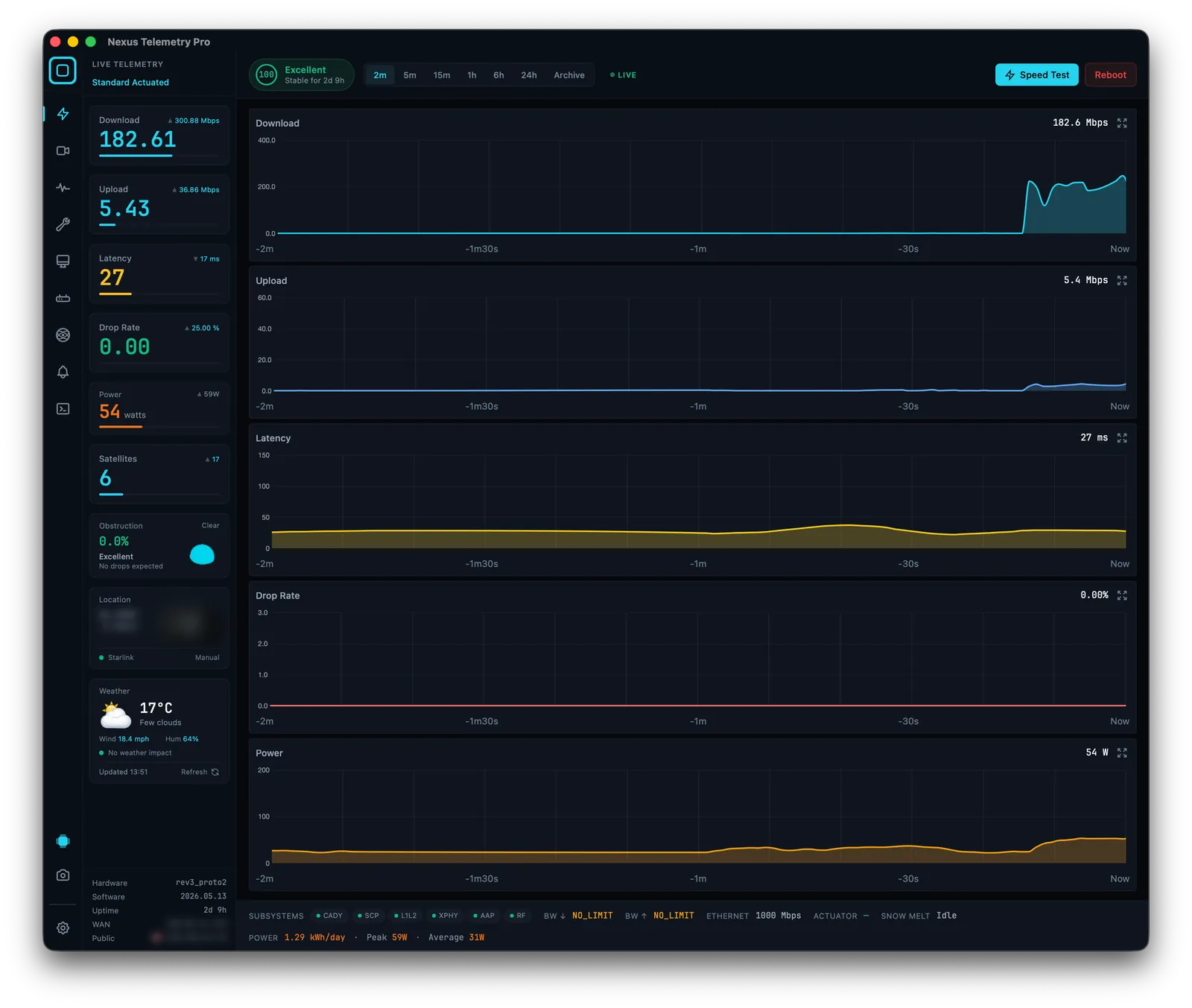
With the right software, your Mac can show you everything the dish reports in real time:
- Obstruction: the live percentage and the full sky map, built up over time
- Latency, download, upload, and drop rate: charted continuously, not just a one-off speed test
- Power consumption: real average draw, useful for off-grid and marine setups
- Dish alignment: tilt, azimuth, elevation, and any changes to them
- Connection health and outage history: a recorded log, not a momentary snapshot
- The likely satellite you're connected to: inferred from the dish's pointing direction and live orbital data
None of this requires a Starlink account, a login, or any cloud service. It all happens locally between your Mac and the dish. One exception worth knowing: in May 2026 Starlink removed dish GPS from the local API for most service plans, later restoring it for Priority plans only, so location on consumer plans now needs an alternative source. (What the GPS removal means, and how to work around it →)
The options for Mac users
Run command-line tools. Open-source projects like starlink-grpc-tools will query the dish from a terminal, and they run on macOS. If you're comfortable on the command line and want to build your own dashboards, this is a capable free route, but it's a project, not an app.
Use Nexus Telemetry. This is the native option: a proper macOS application for Apple Silicon Macs that connects to your dish, reads the telemetry, and presents all of the above in real time, with recording, charts, and alerts built in. No setup beyond launching it on the same network as your Starlink. It was the first cross-platform desktop app built for exactly this, and the same app runs on Windows and Linux too.
Installing on macOS
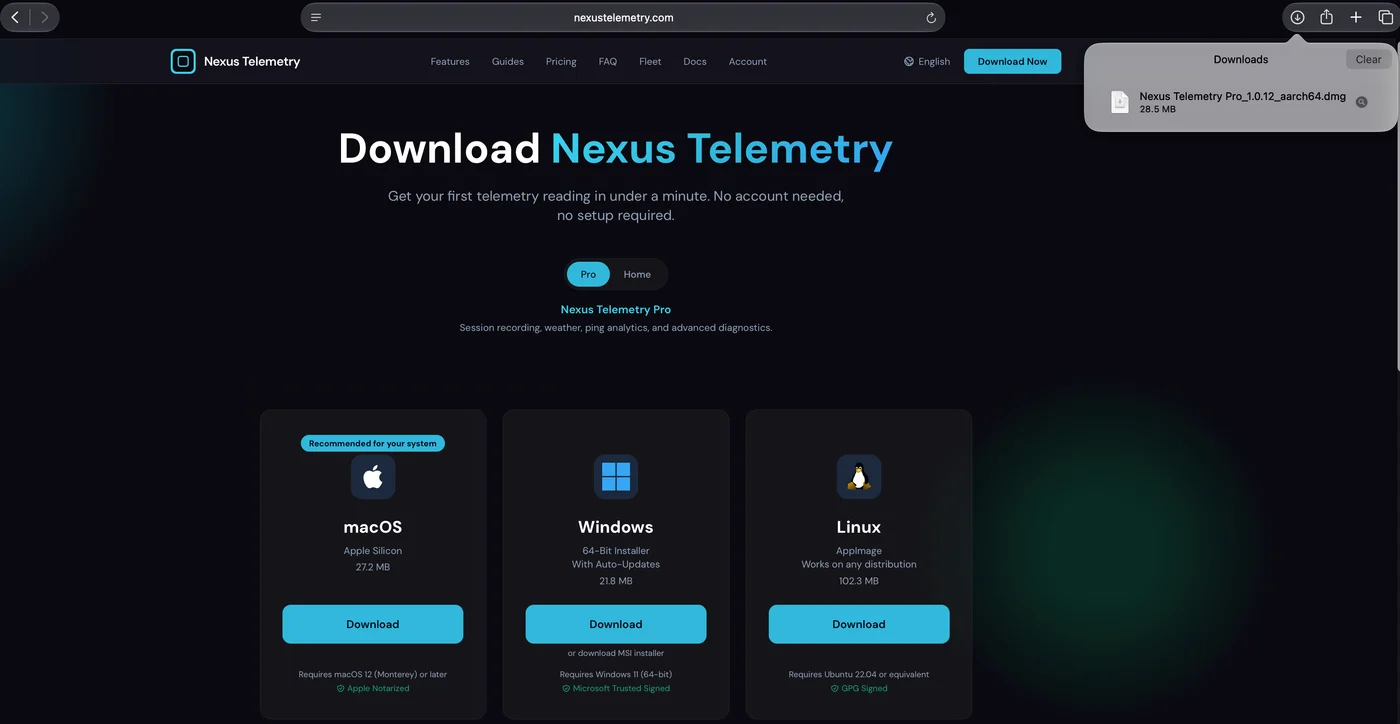
1. Download. On the download page, choose macOS. The app needs macOS 12 (Monterey) or later.
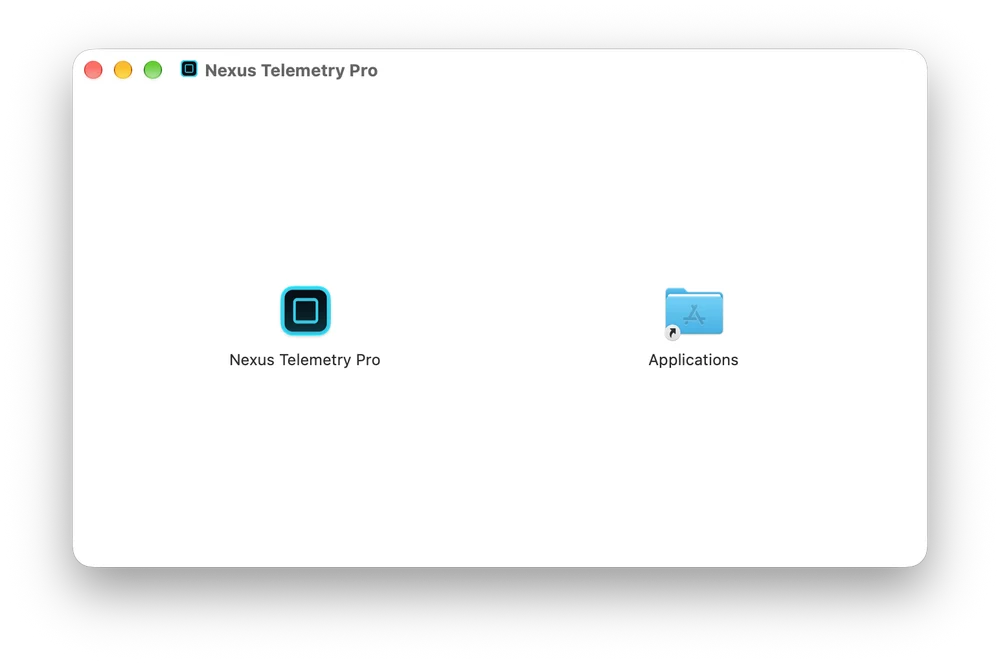
2. Drag to Applications. Open the disk image and drag Nexus Telemetry Pro onto the Applications folder.
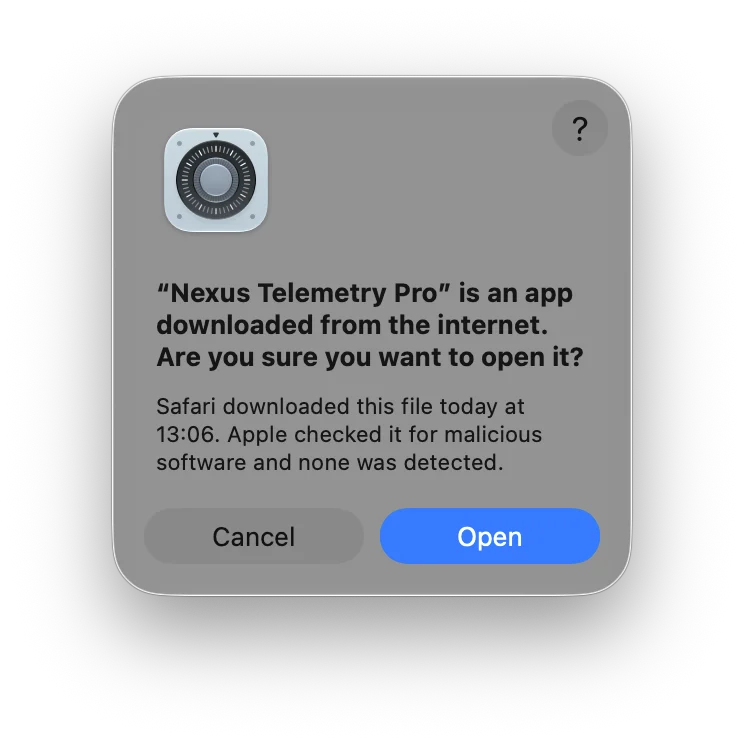
3. Open it the first time. macOS asks whether to open an app downloaded from the internet. Nexus Telemetry is notarised by Apple, so the prompt says Apple checked it for malicious software and found none. Click Open.
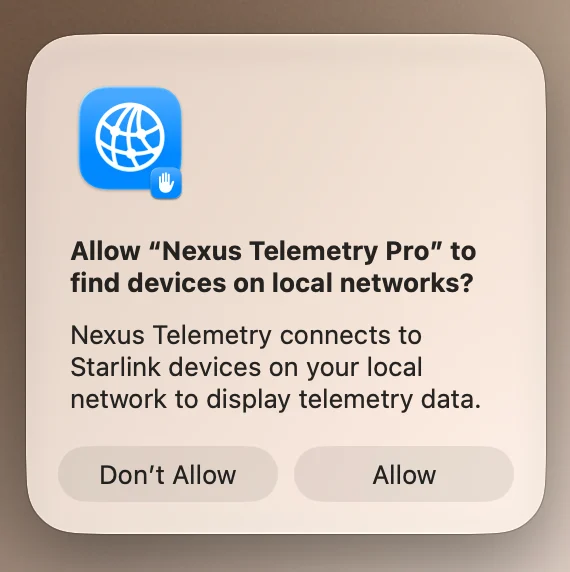
4. Allow local network access. On macOS 15 and later, macOS asks whether the app may find devices on local networks. Click Allow. The app reads the dish over your local network, and without this permission it cannot reach it. If you clicked Don't Allow, open System Settings, then Privacy & Security, then Local Network, and switch Nexus Telemetry Pro on.
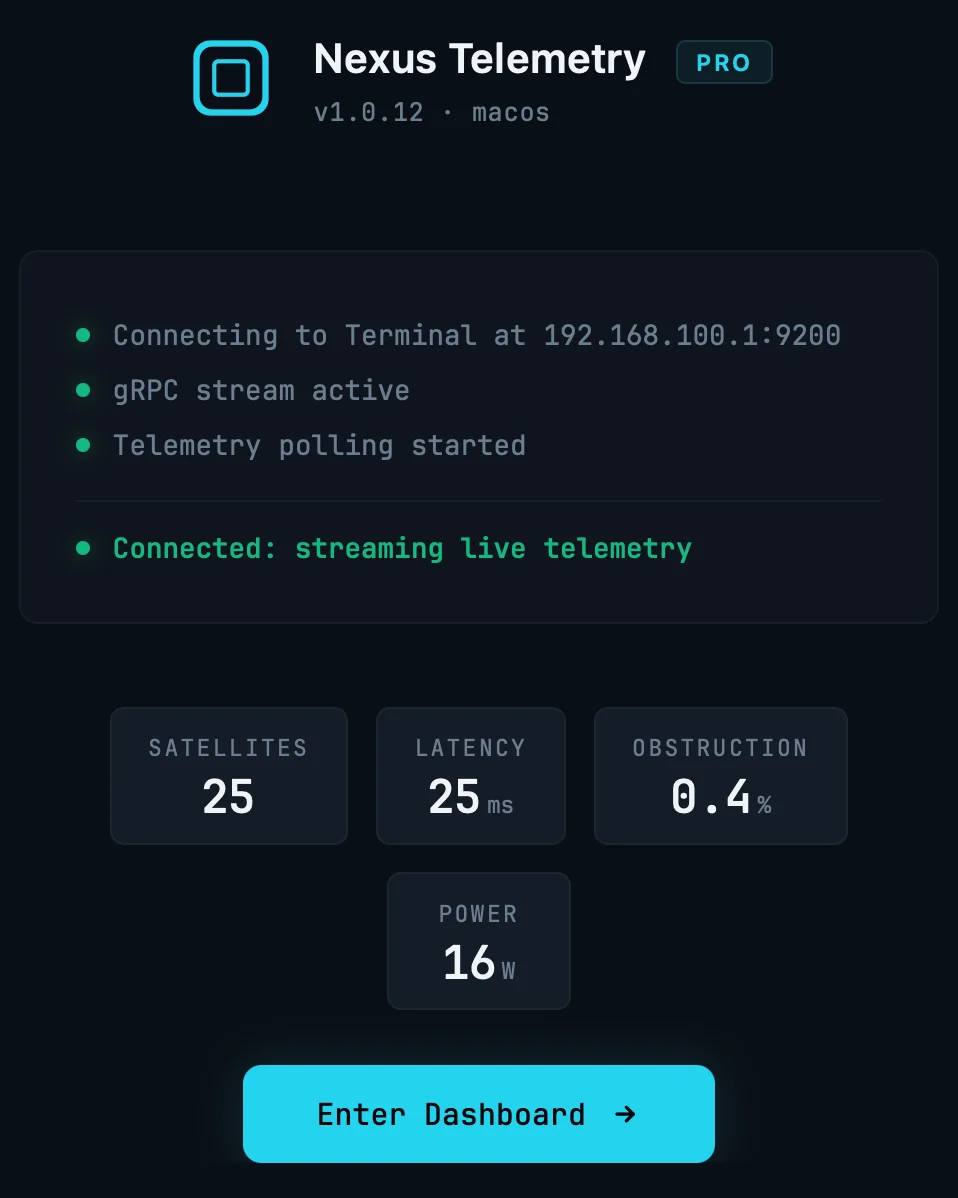
5. First launch. The app finds the dish at 192.168.100.1 by itself and shows satellites, latency, obstruction and power within seconds. Click Enter Dashboard for the full view.
There's a free trial, so you can see your own dish's real data before deciding. If you've ever wondered what the phone app isn't telling you, this is the quickest way to find out.
A note on what the phone app hides
It's worth seeing this in action. One of our own dishes quietly re-aimed itself after a firmware update, the official app showing a clean green status the whole time while our desktop telemetry recorded the move as it happened, even though the connection carried on unaffected. That's the difference between a status light and actual monitoring: not drama, just visibility into what your dish is really doing.